

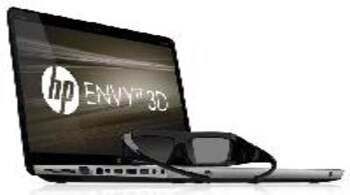
HP’s Envy 3D notebook has been around for some time now but amongst so many notebooks sporting Nvidia’s 3DVision floating around, it seems lost in the crowd. This is one of the few notebooks that support AMD's HD3D technology which is a rare sight as the desktop segment is also completely dominated by Nvidia. HP currently offers only a single model in the high-end Envy range, which will compete with Asus and Alienware as they sport very similar features and are targeted at gamers. Let’s see if it has what it takes to go up against the big guns.Design and BuildWhen it comes to design and build quality, it seems HP can do no wrong. HP has paid attention to a lot of detail which shows in the finished design. The plastics and metal used are of high quality giving the Envy 17 a very polished and refined look. There’s an engraved design running throughout the notebook which takes away from the otherwise monotonous colour scheme. The lid is strong and applying pressure doesn’t distort the screen. Other than the design, there’s just the illuminated HP logo down at the bottom. The screen is held securely in place by two hinges that let you tilt it all the way to 160 degrees backwards.
The Envy 17 is not exactly light weight at 3.41kg but it’s really slim for a gaming notebook, in fact it looks more like a regular multimedia notebook from their DV6 line-up. On the left we have a large vent for the exhaust, which can get pretty toasty even in power saver mode. You can’t use the notebook on your lap for too long as it gets hot pretty quickly even when you’re just browsing or not doing anything. Connectors include dual headphone jacks with microphone support for one of them, HDMI, DisplayPort, Gigabit Ethernet jack, VGA and memory card reader. Our review unit came with a total of four USB 2.0 ports (including one ESATA combo port) but their website states that one of the ports will be USB 3.0. The optical drive is a Blu-ray/DVD combo drive and not a Blu-ray writer.
Due to the size of the notebook, there’s plenty of place to play around with for the keys and trackpad. HP have gone with the chiclet styled backlit keys which includes a proper Numpad as well. The finish and feedback of the keys are really good so no complaints here. The backlights for the keys only have two settings, either on or off and there’s no ambient light sensor so you’ll have to manually enable it. The trackpad is nice and large with a very smooth finish making it effortless to use. Finally, we have the speaker grills that are placed in the front facing outwards. FeaturesWith a price tag of almost a lac, you’d expect HP to throw in everything but the kitchen sink, sadly that’s not the case. Powering the Envy 17 is an Arrandale-based Core i5-480M processor running at a stock speed of 2.66GHz with the ability to Turbo up to 2.9GHz. With Sandy Bridge being quite widespread now, it’s a wonder why HP is still stuck with the older CPU model. The bundled memory is 4GB but there’s another free slot so you can expand it to 8GB. For storage we have a 640GB hard drive running at 7200rpm. The graphics card used is an AMD Mobility HD 5850 with 1GB GDDR5 memory. This is a high-end DX11 graphics card for notebooks with full support for OpenCL and DirectCompute 11 applications.
The 17.3-inch full HD display is simply gorgeous and supports HP’s Ultra BrightView technology. Since this is a 3D ready notebook, the maximum supported refresh rate is 120Hz. As AMD don’t have any 3D implementation of their own like Nvidia, they have to rely on third party developers which in this case is TriDef 3D. Using their TriDef Ignition software, you can play games in 3D whereas for movies, you can use Cyberlink’s PowerDVD software which comes bundled.
Another highlight of the Envy 17 is the use of Beats Audio by Dr.Dre. The software gives you a little control panel allowing you tweak the audio settings to your liking which includes a graphic equalizer. Apart from the two speakers in the front, HP has included a Triple Bass Reflex Subwoofer which we’ll put to the test a little later. Overall, HP has done a great job with the build and finish of the Envy 17 that’s only rivalled by some of their other notebooks. But looks aside, does it have the chops to compete with hardened gaming veterans like Asus or Alienware? PerformanceStraight off the bat, the Envy 17 lags behind the likes of the Asus G74SX because of the much slower and older processor. But, what’s really worrying is the gaming performance which is the main USP of the notebook which is pretty poor. The AMD Mobility HD 5850 is supposed to be a high-end SKU but it doesn’t seem like it enjoys Full HD resolutions too much. Even in FarCry 2, which is a very scalable game, gave me just 19fps and this is without 3D. I had a little trouble with Cinebench R11.5 as the GPU test refused to complete so I couldn't get a score.
Speaking of 3D, TriDef’s implementation is good but not as good as Nvidia's. The Ignition software didn’t detect all the games that I installed so some of them like Dirt 2 had to be added manually. Luckily, TriDef has included 3D profiles in most of the popular games in the market. While the 3D effect is good, it takes a takes a lot out of the graphics card so it’s not exactly playable at Full HD resolutions. General and Multimedia usageThe Envy 17 makes for a very good desktop replacement. The keyboard is very comfortable to use even for long durations. The trackpad supports multi-touch gestures as well, which makes zooming and scrolling through documents very easy. Sadly, the notebook gets hot very quickly even when not charging. The entire left hand section which include the keys and the palm rest area heats up. It’s impossible to use this on your lap for more than fifteen minutes as it gets very uncomfortable.
Other than gaming, it’s a great multimedia notebook for movies and music. Movies look really good on this large screen and thanks to the Beats Audio, the sound complements it well. Mind you, there is a bit of distortion at the maximum volume and the ‘subwoofer’ isn’t really effective but as far as notebook speakers go, it’s certainly one of the best. Battery Life Oddly, there’s no mention of the battery’s capacity on the HP India website but a quick look underneath reveals it’s a 9-cell. Battery Eater Pro gave me a battery life of just under 2 hours which is strictly average. I feel the main cause of the low battery life is the older CPU and GPU which runs really hot all the time. VerdictWith the original price of Rs. 89,990, HP are now offering the Envy 17 for a reduced price of Rs. 69,990 throughout India. This offer started recently and will be applicable for the next couple of months. This is good pricing for a 17.3-inch multimedia notebook that’s capable of playing 3D Blu-rays. If those are your requirements then it’s certainly a good option. Another good alternative is the Dell Vostro 3750 which is better equipped and a lot cheaper but the screen size is smaller. There’s a reason for this drop in price though and I suspect HP is planning on refreshing their line-up very soon with the latest Sandy Bridge processors. Overall, HP’s Envy 17 is hard to beat when it comes to design and build quality. It’s a very good notebook for multimedia and the new pricing makes it very attractive. However, it’s still plagued with many issues. There’s the heating problem, battery life is not up to the mark, gaming performance is quite poor and you’ll be stuck with outdated hardware.
Discover the latest Business News, Sensex, and Nifty updates. Obtain Personal Finance insights, tax queries, and expert opinions on Moneycontrol or download the Moneycontrol App to stay updated!






