







The Government of India, earlier this week, launched a new online portal called the Central Equipment Identity Register (CEIR) for blocking or tracking stolen phones.
Telecom Minister Ravi Shankar Prasad announced that the new Centre for Development of Telematics (CDOT) will work with Delhi Police and telecom operators for tracing lost phones.
Unlike the already-available ‘Find my iPhone’ and ‘Find my Device’ found on iPhone and several Android smartphones that require an active internet connection, CEIR only needs the smartphone’s IMEI number, which is unique to every device.
CEIR is currently accessible to users living in Maharashtra and Delhi NCR. The service is expected to roll out soon across the country.
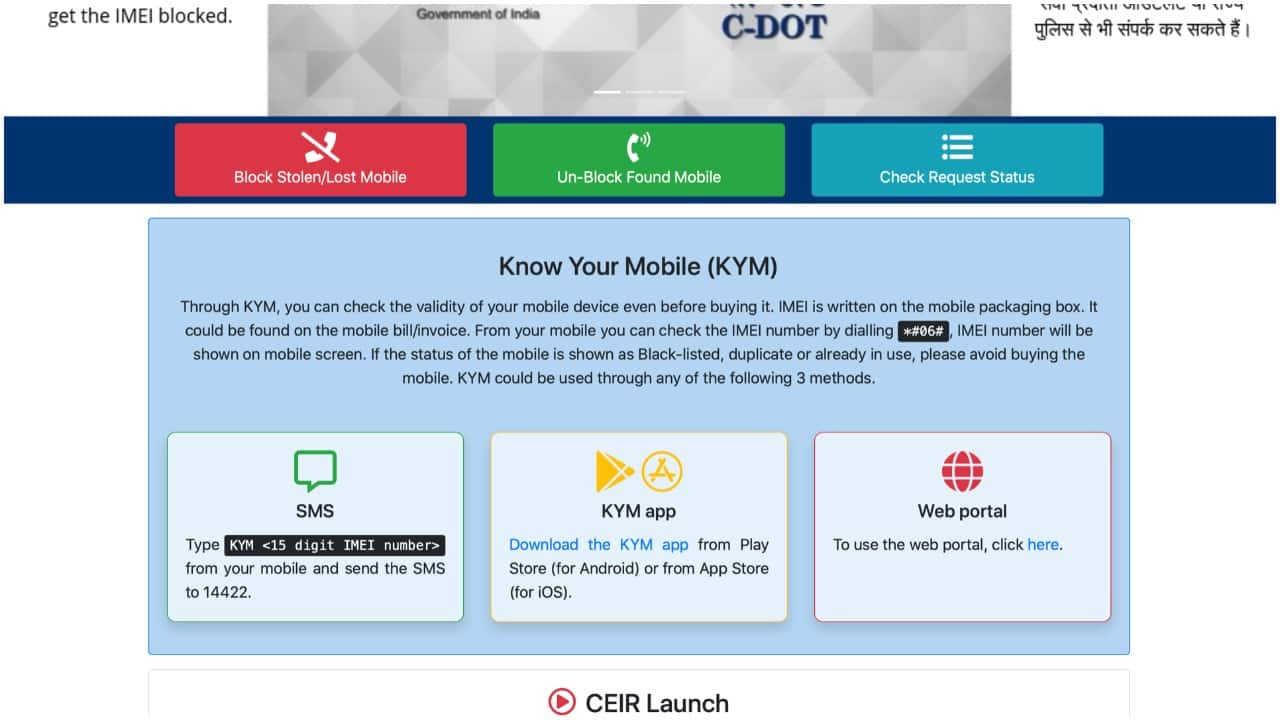
The website allows users to put a request for blocking a stolen or a lost smartphone, unblock a found mobile, and even check the request status. First things first, users need to know the IMEI number which is written on the mobile’s retail box or on the invoice. The IMEI number of a particular mobile can also be found by dialling *#06#.
To find a stolen or a lost smartphone,
-The user first needs to register an official complaint of a lost or a stolen mobile in the nearest police station.-Next, visit the CEIR website at https://ceir.gov.in/Home/index.jsp and click on ‘Block stolen/ lost mobile’ to raise a request.
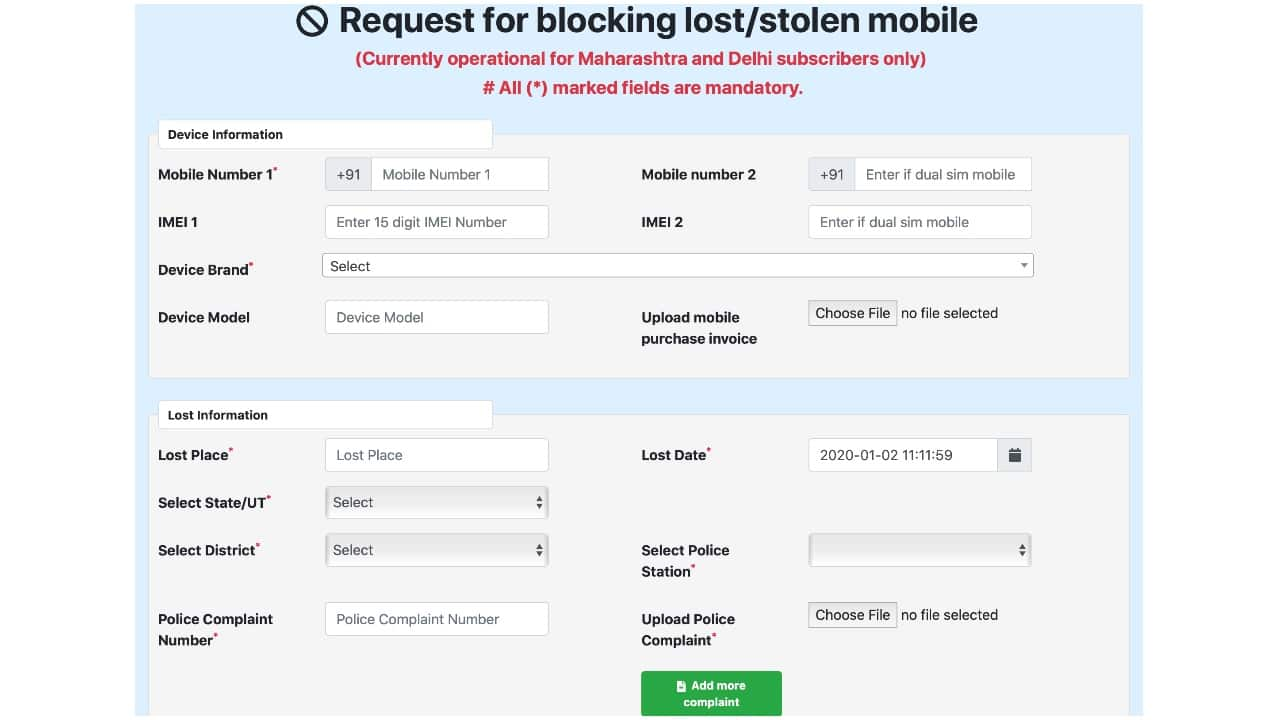
-Fill in the required details including your mobile’s unique IMEI number, the purchase invoice, and the date and place where the mobile was lost or stolen. The complainant also needs to upload the police complaint’s picture on the CEIR website.
-Enter a mobile number that can be used to contact and for receiving the One-Time-Password (OTP). Once done, enter the OTP, click on the declaration and then, click on Submit.
 -You will receive a ‘Request ID’, which can be used to track the status.
To check the status of your raised request for lost or stolen mobile,
-Go to the CEIR website.
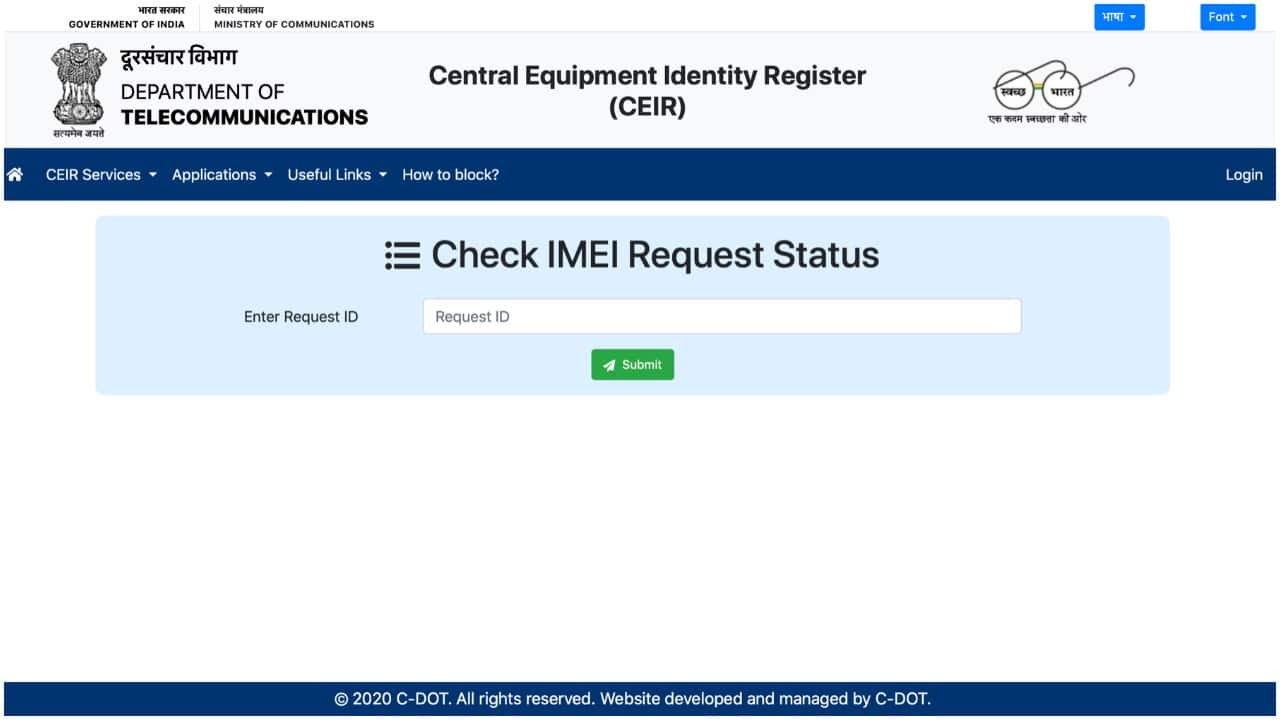
-Click on the ‘Check Request Status’ and enter the Request ID.
-Click on ‘Unblock Found Mobile’
-Enter the Request ID and the mobile number entered previously for getting the OTP. Users can enter the same mobile number or a different one to get a new OTP in the third block.
 -Enter the new OTP and click submit.


Discover the latest Business News, Sensex, and Nifty updates. Obtain Personal Finance insights, tax queries, and expert opinions on Moneycontrol or download the Moneycontrol App to stay updated!
Find the best of Al News in one place, specially curated for you every weekend.
Stay on top of the latest tech trends and biggest startup news.






